Tip & Tricks

How to Fix Error 0xC0000022 to Activate Windows 11 Pro

How to Fix Error 0xC0000022 to Activate Windows 11 Pro

How to Fix Error 0xC0000022 to Activate Windows 11 Pro: Step-by-Step Solutions to Activate Windows 11 Pro Successfully

Are you facing Error 0xC0000022 when trying to activate Windows 11 Pro? You’re not alone. This error usually occurs due to a corrupt or missing system file, invalid license, or issues with the activation service. In this guide, we’ll walk you through the most effective solutions to fix Error 0xC0000022 and activate Windows 11 Pro successfully.

How to Fix Error 0xC0000022 In Windows 11 Pro

1️⃣ Run Activation Troubleshooter

Windows has a built-in troubleshooter that can automatically detect and fix activation problems.
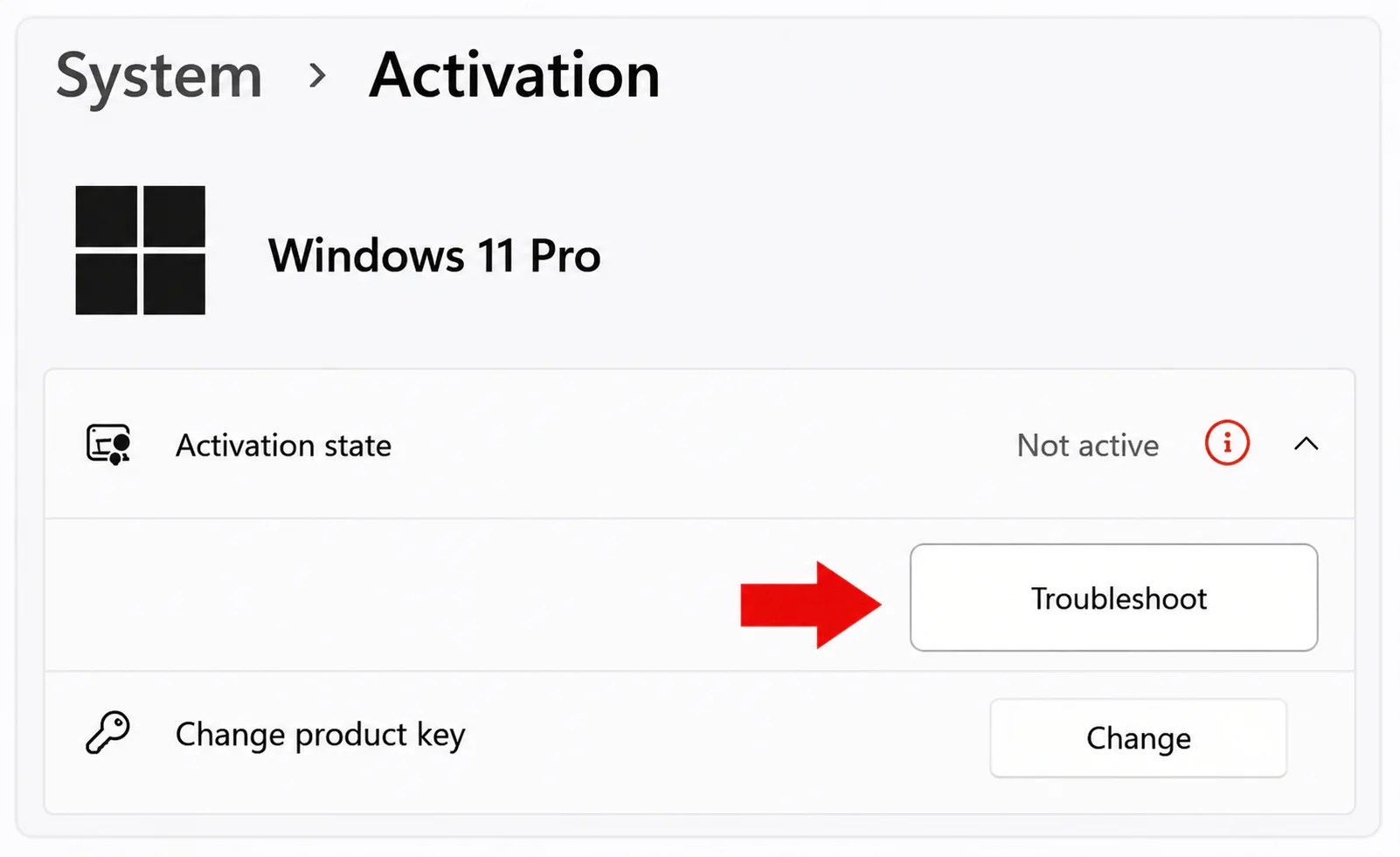
Path: Settings > System > Activation > Troubleshoot

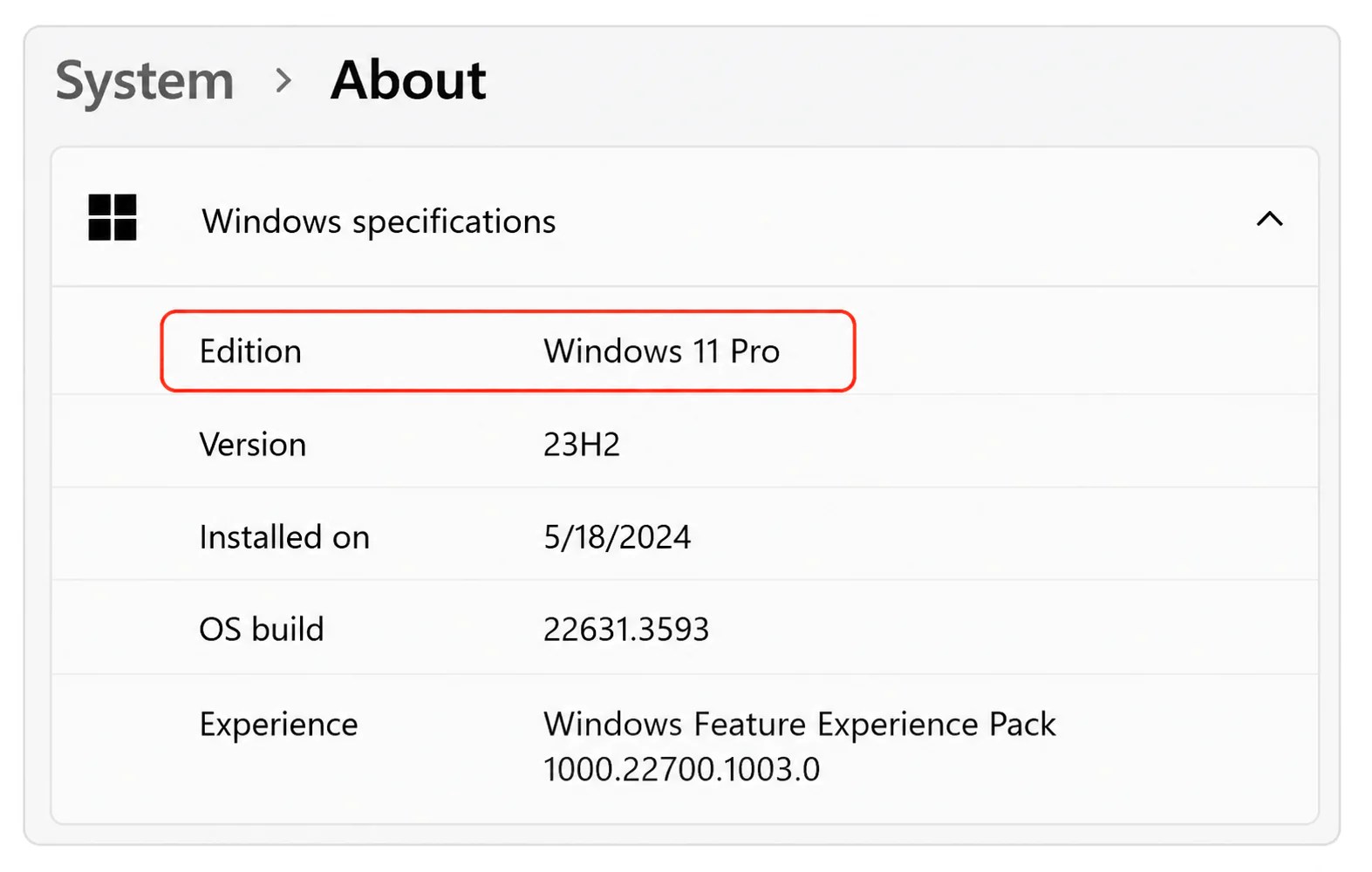
2️⃣ Check Windows Edition

Make sure you’re using a valid Windows 11 Pro key on a Windows 11 Pro edition.

Path: Setting>System>About
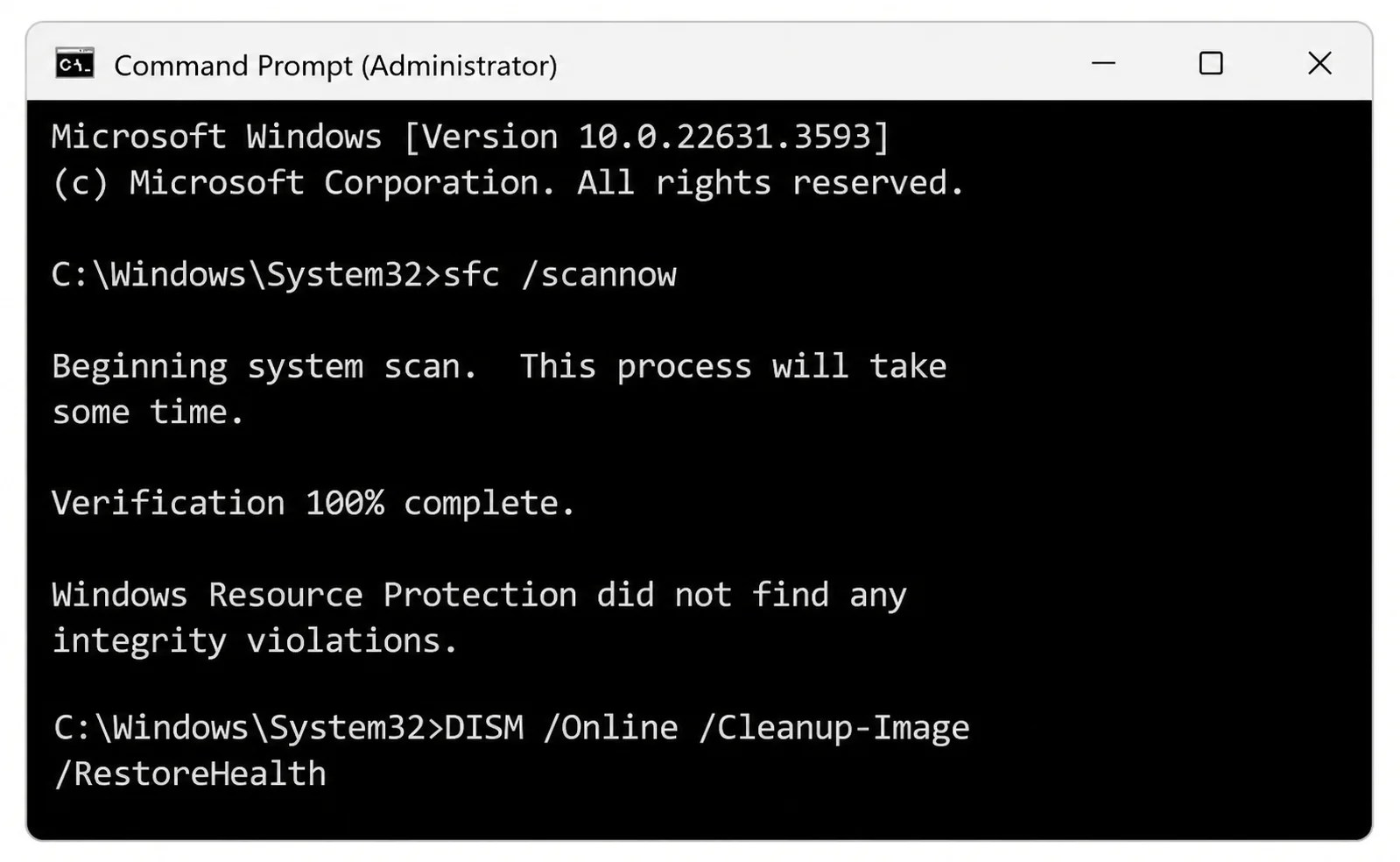
3️⃣ Run SFC and DISM Scans

These commands repair corrupted or missing system files.

Run in CMD (Admin):

sfc /scannow

DISM /Online /Cleanup-Image /RestoreHealth
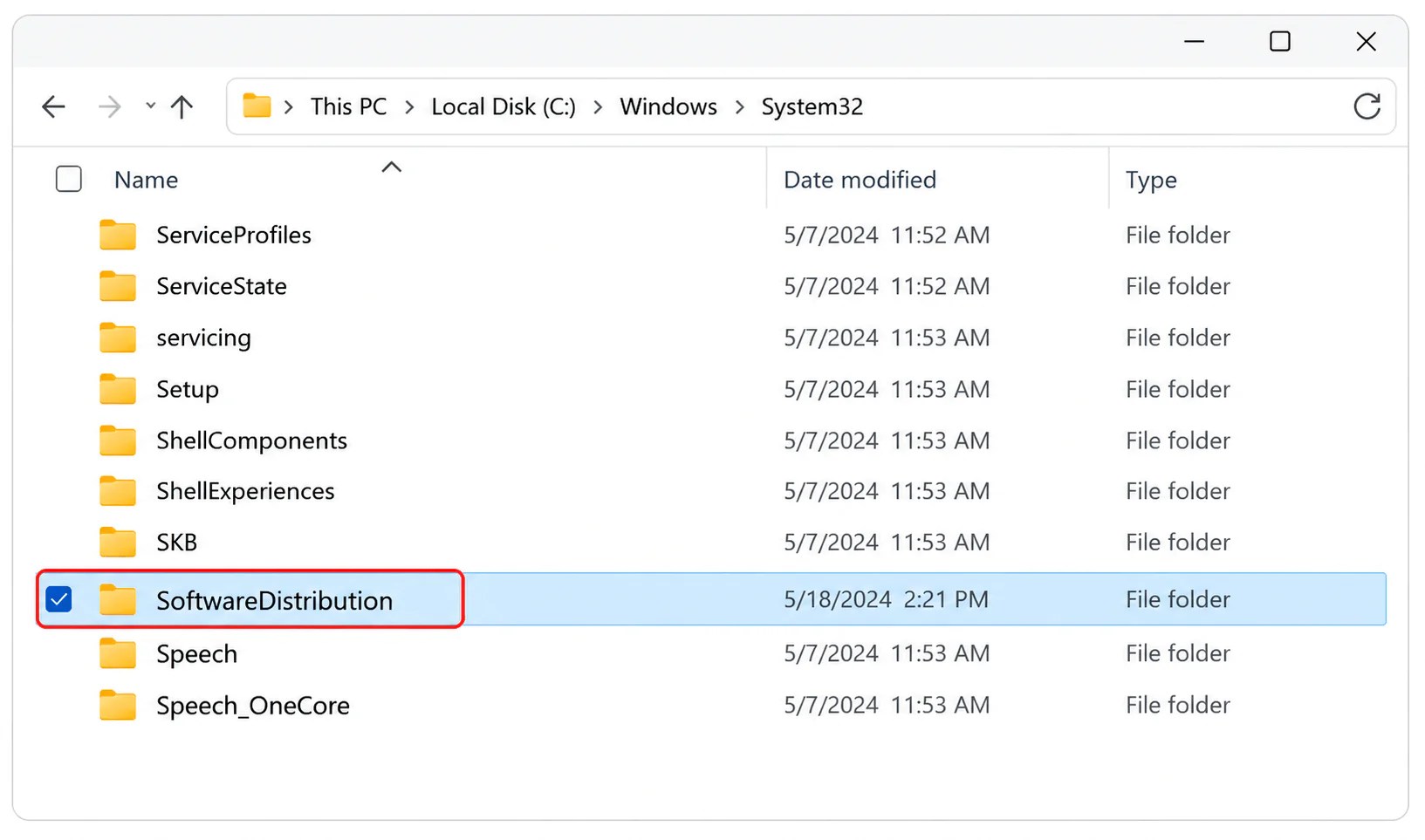
4️⃣ Clear SoftwareDistribution Folder

Clearing this folder resets Windows Update components that might be blocking activation.

  1. Press Win + R, type services.msc, and press Enter.
  2. Stop Windows Update service.
  3. Go to C:\Windows\SoftwareDistribution
  4. Delete all files and folders.
  5. Restart the service and try activating again.

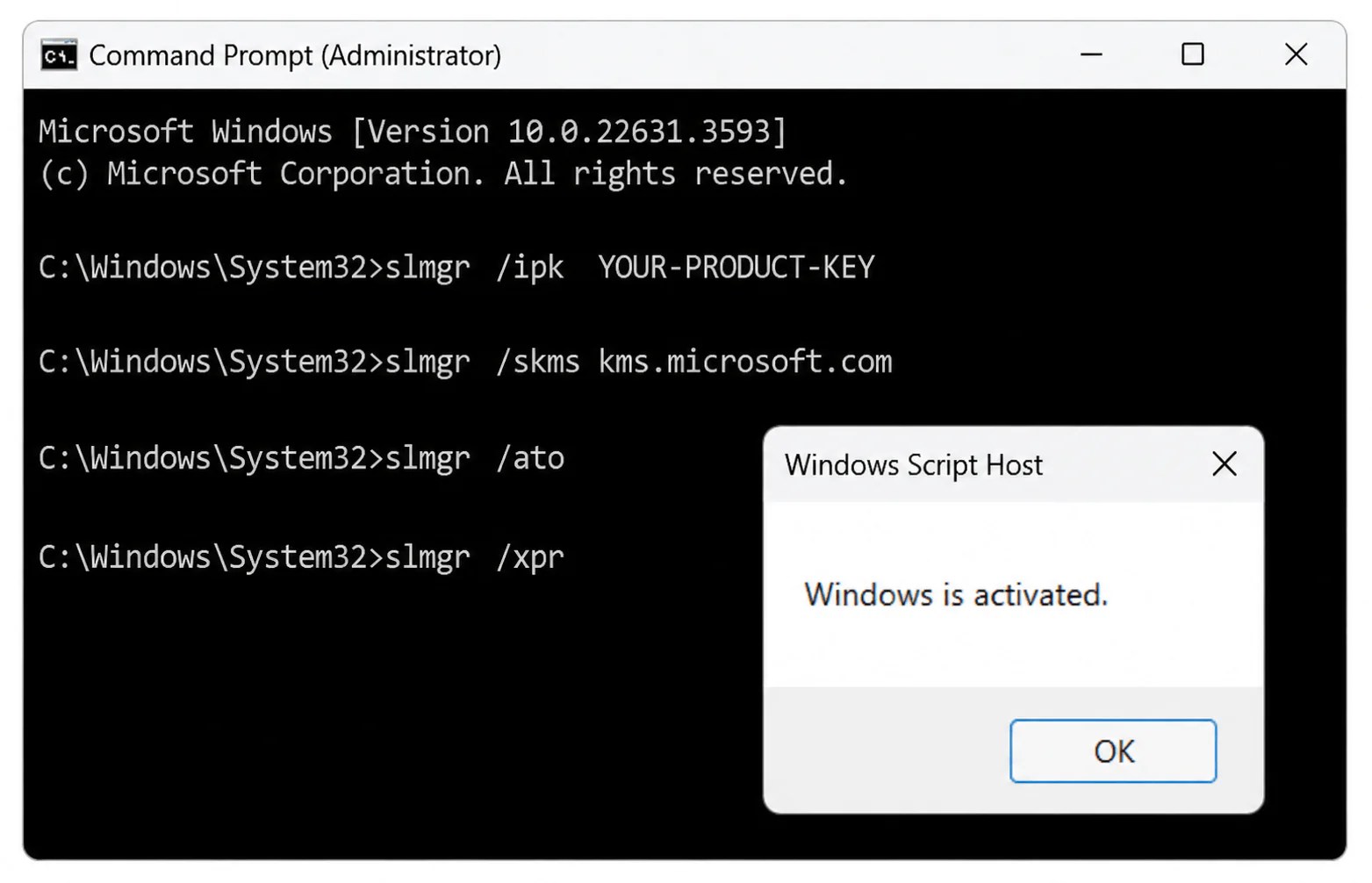
5️⃣ Use Command Prompt (SLMgr.vbs)

Use the built-in script to rearm and activate Windows.

  1. Open CMD as Administrator.
  2. Run the commands one by one.
  3. Replace YOUR-PRODUCT-KEY with your actual Windows 11 Pro key.

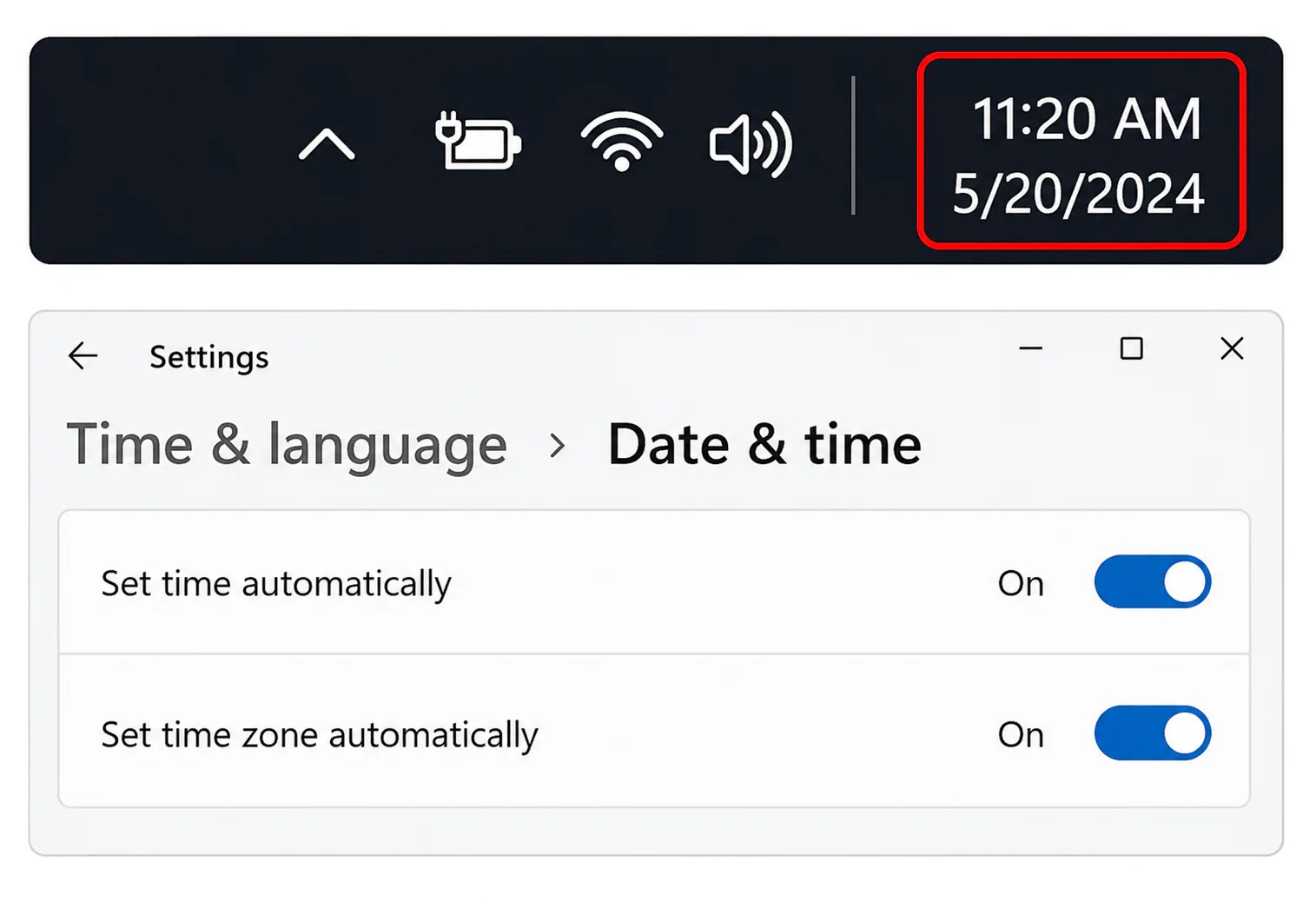
6️⃣ Check Date, Time & Internet

Incorrect date, time, or no internet connection can cause activation failures.

  • Ensure correct date and time.
  • Connect to the internet.
  • Try activating again.

Bonus Tips

  • Use a valid Windows 11 Pro product key.
  • Avoid using multiple keys on the same device.
  • Remove third-party antivirus temporarily.
  • Ensure your PC is not using a KMS key illegally.

Still Not Working?

If none of the above methods work, try performing an In-place Upgrade Repair.

  1. Download Windows 11 ISO from Microsoft.
  2. Run setup.exe and choose “Keep personal files and apps”.
  3. Complete the upgrade and try activation again.

Conclusion

Error 0xC0000022 can be frustrating, but it’s fixable. By following the methods above, you should be able to activate Windows 11 Pro successfully. Start with the basic checks and move to advanced solutions if needed.

Get Your Windows 11 Pro Genuine License key

If you want a fast, secure, and hassle-free activation, get your genuine license key here: https://licencekeep.com/windows-11-professional/

Why Buy from Licencekeep?

  • ✅ Genuine product keys
  • ✅ Instant email delivery
  • ✅ Affordable pricing
  • ✅ Easy activation guide
  • ✅ Reliable customer support

Leave a Reply

Your email address will not be published. Required fields are marked *